Cursor Survival Dodge
Reviews
Cursor Survival Dodge strips avoidance gameplay down to its essentials: move the cursor, read incoming shapes, and survive. The plain visual style removes distractions, while steadily increasing speed and shape count create a natural difficulty curve. The absence of levels or scores beyond survival time makes each run a personal benchmark. It suits players who enjoy quick, repeatable reflex challenges. The planned shape-removal tool may add strategic depth, but the current experience remains purely about dodging.
Description
What Cursor Survival Dodge Asks of You
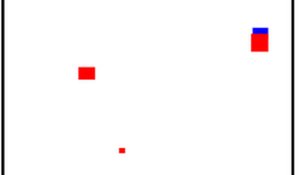
Cursor Survival Dodge is a single-player arcade game built around one action: moving your mouse or touch input to keep the cursor away from red shapes. Those shapes appear and travel toward the cursor from different directions. A single touch ends the run. There is no health bar, no shield, and no second chance within a session. The entire challenge rests on reading incoming movement and repositioning before contact happens.
How Difficulty Scales During a Run
The game does not use levels or stages. Instead, difficulty rises continuously while you stay alive. More shapes can enter the screen, and their movement speed may increase over time. Because the pressure builds gradually rather than in sudden spikes, early seconds feel manageable while later seconds demand faster decisions. The only score is survival time, so every run is measured against your own previous best rather than a fixed target.
Minimal Visuals, Immediate Feedback
The visual style is deliberately plain. A simple background leaves only two visible elements: the cursor and the red shapes. That lack of clutter matters because it lets you track multiple approaching shapes without decorative effects competing for attention. Feedback is immediate. When a shape is about to reach the cursor, you can see it coming, which supports last-second dodges. There are no confusing visual tricks between you and the information you need.
A Planned Tool That Changes Decision-Making
An upcoming update will add a tool that removes shapes from the screen. This introduces a strategic layer on top of pure dodging. Instead of only reacting, you will need to judge when clearing a shape is worth using the tool and when continued movement is the better choice. The core avoidance loop remains, but the added option gives players another way to handle rising pressure.





Editorial Notes