Cycle Palette: Coloring Adventure
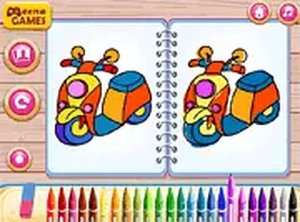
Developer: Crest Ember Games
Updated: 2026-07-21
Reviews
Cycle Palette stands out for its focus on safety and simplicity. The ad-free environment allows children to explore colors without distractions. The variety of bike illustrations, from basic to sporty, keeps the activity fresh. Automatic progress saving is a thoughtful touch, letting kids return to unfinished projects. The print option adds value by turning digital art into physical keepsakes. Overall, it is a well-designed tool for nurturing creativity in young children.
Description
Artistic Expression for Young Minds
Cycle Palette is designed to foster creativity in children by offering a selection of bicycle outlines to color. From simple two-wheelers to more elaborate racing models, each image provides a canvas for young artists. The game's interface is intuitive, allowing kids to select colors and apply them with simple taps or clicks. This process helps develop color recognition and fine motor skills in a relaxed setting.Simple Controls, Big Possibilities
The game features large, responsive controls that are easy for small hands to use. Children can choose from a wide range of hues and adjust the brush size to fill in large areas or add fine details. An undo button lets them correct mistakes without frustration, encouraging experimentation. Progress is saved automatically, so unfinished artwork can be completed later.Safe and Accessible Design
Cycle Palette operates without ads or external links, providing a secure environment for independent play. It requires no downloads or installations, running directly in a web browser. The game is compatible with both mobile devices and desktop computers, making it easy for children to play at home or while traveling. No reading skills are needed, so even preschoolers can start coloring right away.Sharing and Celebrating Artwork
Once a coloring is complete, the game offers a print option. This allows children to display their finished pieces on the wall or share them with family and friends. Printing provides a tangible reward for their efforts, boosting confidence and pride in their creative work. Parents can join in by discussing color choices or suggesting new combinations, turning the activity into a shared experience.Compatibility
💻 Desktop | 📱 Mobile | 📟 Tablet
– All supported · Best with Chrome or Safari
Faq
Is Cycle Palette free to play?
Yes, Cycle Palette is completely free to play with no hidden costs or in-app purchases. All features, including the full color palette and print option, are accessible without any payment.
Can I use Cycle Palette on a tablet?
Absolutely. Cycle Palette is designed to work on both mobile devices and desktop computers. It runs smoothly on tablets and smartphones, with touch-friendly controls that make coloring easy on any screen size.
Does Cycle Palette require an internet connection?
Yes, an internet connection is needed to load the game in your browser. However, once the page is open, you can play without interruption as long as the connection remains stable. No download or installation is required.
How many bicycle designs are available in Cycle Palette?
Cycle Palette includes a variety of bicycle illustrations, from simple beginner-friendly designs to more detailed racing bikes. The exact number may vary, but there are enough options to keep children engaged and inspired.
Can I save my child's artwork from Cycle Palette?
Yes, the game includes a print option that allows you to save a physical copy of the completed coloring. This is a great way to create a keepsake or display your child's work. Digital saving may not be available, but printing works well.
Is Cycle Palette suitable for children with no reading skills?
Yes, Cycle Palette is designed for preschoolers and young children who cannot read yet. The controls are visual and intuitive, with large buttons and clear icons. No text instructions are needed to start coloring.



Comments
0 comments