Imagination Wardrobe Designer
Reviews
Imagination Wardrobe Designer stands out for its simplicity and child-friendly design. The large selection of clothing and accessories encourages experimentation, while the absence of timers or scores keeps the experience calm. Controls are intuitive on both touchscreens and desktops, making it easy for young children to play independently. The ability to save creations as images adds a nice offline element. This is a solid choice for parents seeking a safe, creative screen activity for their kids.
Description
Building Your Look from Scratch
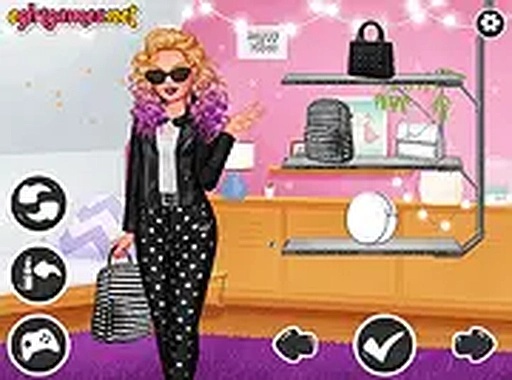
Players begin with a blank template and choose from categories like shirts, pants, shoes, and hairstyles. Each selection updates the character instantly, allowing for quick experimentation. The interface uses simple click-to-apply controls, so even young children can navigate without frustration. Additional items such as hats, glasses, and scarves add personality to the final design.
Endless Combinations to Explore
The game offers a wide variety of clothing pieces and accessories. Mixing patterns, colors, and styles creates countless unique looks. There are no preset goals or required outcomes, which encourages players to try unusual pairings. This open-ended approach supports creative thinking and helps children develop their own sense of style.
Designed for Young Creators
Controls are optimized for touchscreens and mouse input, making the game accessible on tablets, phones, and computers. The interface uses large buttons and clear labels, reducing confusion. No reading is required to play, which allows pre-literate children to participate independently. The game runs entirely in the browser without downloads or installations.
A Safe Space for Self-Expression
All content is appropriate for children. There are no advertisements, in-app purchases, or external links. Players cannot interact with strangers or share personal information. The game focuses solely on creative activity, providing a calm environment where kids can focus on design without distractions.
Sharing Creations with Family
Once a design is complete, players can save their character as an image file. This allows children to print their creations or share them with parents and friends. The save feature works without requiring an account or email address, preserving privacy. This simple sharing option turns the game into a tool for family bonding and offline conversation.