Pixel Leap Platform Runner
Reviews
Pixel Leap Platform Runner stands out by letting players build their own paths during races. This simple addition transforms standard platforming into a strategic challenge. The two modes offer good variety, with single-player for practice and multiplayer for competition. Controls are responsive, and the pixel art is pleasant. While the game is not complex, its core loop of running, jumping, and building is engaging and easy to pick up. It is a solid choice for quick, creative racing sessions.
Description
Course Navigation & Building
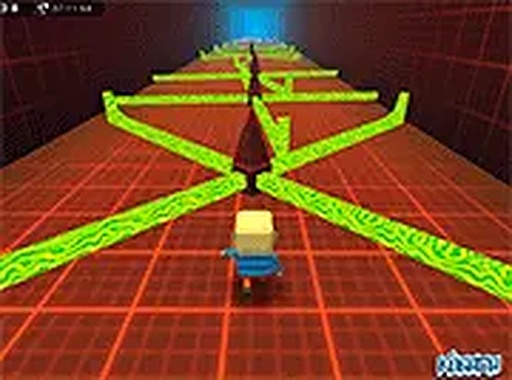
This game combines running and jumping with a creative building mechanic. Players move their character through a series of platforms and gaps. The key difference from standard platformers is a tool that lets you place blocks anywhere. These blocks can serve as bridges over empty spaces or stepping stones to higher areas. This means each course is not just about timing your jumps but also about deciding where to place blocks for the most efficient route. The courses are designed with a pixel-art style, featuring bright colors and clear visual cues for where hazards and safe zones are located.
Two Ways to Play
There are two distinct modes available. The single-player mode is ideal for learning the controls and understanding how the block-placing tool works without any pressure. You can take your time to figure out the best path through each course. The multiplayer mode introduces a competitive element where you race against other players to reach the finish line first. This mode adds replay value as you can try to improve your times and learn from watching how others navigate the same courses. Both modes use the same core mechanics but offer different experiences.
Controls and Accessibility
The controls are straightforward. Standard keyboard keys handle movement, while the mouse is used to aim and activate the block-placing tool. This setup is easy to learn, making the game accessible to new players. The game runs directly in a web browser, so there is no need to download or install anything. This makes it convenient for quick play sessions. The simple control scheme means you can focus on the strategic aspects of block placement and route planning rather than complex button combinations.
Visual Style and Atmosphere
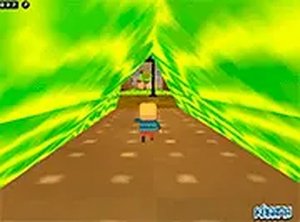
The pixel-art world is colorful and inviting. Each course has its own layout of platforms, gaps, and obstacles, creating a visually engaging environment. The bright colors help distinguish between safe platforms and hazardous areas, which is important for quick decision-making during races. The art style is consistent throughout, giving the game a cohesive look. While the graphics are not highly detailed, they are clear and functional, supporting the fast-paced gameplay without unnecessary distractions.