Pixel Leap Platform Runner
Reviews
Pixel Leap Platform Runner stands out by combining platform jumping with a block-building tool that lets you create bridges and steps. Single-player mode supports learning routes without pressure, while multiplayer races add replay value through time comparison and route observation. The pixel-art style uses color to signal hazards clearly. The main limitation is visual simplicity, but that keeps the focus on route planning and quick decisions. Best suited to players who enjoy agility challenges with a strategic layer.
Description
Running, Jumping, and Building
Pixel Leap Platform Runner is a platformer that adds a construction tool to the usual jump-and-run formula. You control a character moving through courses made of platforms and gaps. The defining mechanic is a block-placing tool: you can set blocks anywhere, using them as bridges over empty space or as steps to reach higher areas. This turns each course into a route-planning problem. Timing your jumps still matters, but so does deciding where a block saves the most time or creates the safest path.
Single-Player Practice and Competitive Races
Two modes share the same mechanics but serve different goals. In single-player, you can learn the controls and experiment with block placement without pressure, taking time to find efficient routes. Multiplayer turns the same courses into races against other players. The competitive mode adds replay value because you can compare your times and watch how others navigate the same obstacles, picking up route ideas you might not have considered.
Controls and Browser Access
Movement uses standard keyboard keys, while the mouse aims and activates the block tool. That split keeps the learning curve gentle: new players can focus on strategy rather than complex button combinations. Because the game runs directly in a web browser, there is nothing to download or install, which suits short play sessions. The simple control scheme supports the strategic layer of block placement and route planning.
Pixel-Art Presentation
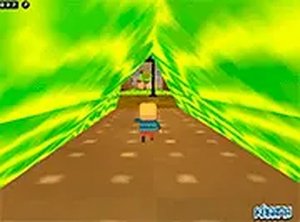
The pixel-art style uses bright colors and clear visual cues. Each course has its own arrangement of platforms, gaps, and hazards. Color differences help distinguish safe surfaces from dangerous areas, which matters when you are making quick decisions during a race. The art stays consistent across courses, giving the game a cohesive look. Graphics are not highly detailed, but they are readable and functional, supporting fast play without distraction.





Editorial Notes