3D Creature Design Studio
Reviews
3D Creature Design Studio is a free browser tool for building original creatures from adjustable body parts and facial features. Its strength is the freedom to experiment with proportions, colors, and shapes without restrictions, making it suitable for players who enjoy customization and casual digital art. The simple 3D movement view adds a light payoff to the design process. The main limitation is that it offers no objectives or complex gameplay beyond creating and viewing creatures.
Description
Building Creatures from Parts
3D Creature Design Studio gives players a blank three-dimensional space and a library of body components: heads, limbs, tails, and wings. Each part can be selected and placed, then reshaped using sliders that control size, shape, and color. The process is direct—pick a piece, adjust it, and see the change immediately. Because the editor allows free combination, the same starting parts can produce a small companion or a large, unusual being. There is no restriction on proportions, so a creature can have oversized ears, a tiny torso, or mismatched limbs if that matches the player's idea.
Facial Features and Expression
After assembling the body, players move to facial features such as eyes, mouths, and ears. These options determine how the creature reads at a glance—friendly, surprised, or simply strange. The editor treats facial elements as another set of adjustable parts, so expressions can shift with a few slider changes. This stage matters because a creature's personality often comes from small details: the angle of an eye or the width of a mouth. Players who spend time here tend to get more distinctive results than those who rush through the body assembly.
Bringing the Design to Life
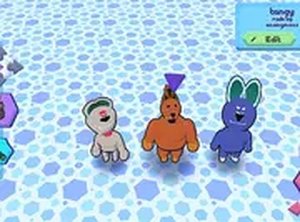
Once the design is complete, a simple command sends the creature into a basic 3D world where it can walk, sit, or run. This step is not a full game mode—it is a way to view the finished work in motion. Watching the creature move can reveal proportion issues or confirm that the design works from different angles. The environment is minimal, which keeps attention on the creature itself. There is no download or installation; the tool runs directly in a desktop or mobile browser, and it is free to use.
Who This Is For
This is a family-friendly creative tool rather than a challenge-based game. It suits players who enjoy character customization, digital art experiments, or simply making odd creatures for fun. The slider-based interface is approachable for all skill levels, and the lack of rules or objectives means sessions can be as short or long as the player wants. The main limitation is that the tool focuses on design and basic movement, not on complex gameplay systems.





Editorial Notes