Cycle Palette: Coloring Adventure
Developer: Crest Ember Games
Updated: 2026-10-01
Reviews
Cycle Palette targets preschoolers and early elementary children who enjoy coloring but do not need a complex game structure. Its strengths are practical: large controls, an undo button, automatic saving, and a print option that gives finished work a physical form. The absence of ads and external links supports independent play. The main limitation is scope—this is a coloring activity, not a game with progression or challenges. Families seeking a calm, screen-based art tool may find it useful; children wanting goals or rewards may not.
Description
Bicycle Outlines as Creative Canvas
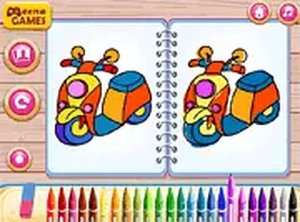
Cycle Palette gives children a set of bicycle drawings to color. The selection ranges from basic two-wheelers to more detailed racing models. Each outline acts as a blank canvas, so the same picture can be approached differently depending on the colors a child picks. There is no timer or score, which keeps the focus on choice and experimentation rather than performance. The variety of outlines means a child can start with a simple shape and move to a busier one when ready.
Controls Built for Small Hands
The game uses large, responsive controls. Children select colors from a range of hues and adjust brush size to cover wide areas or add finer details. An undo button removes the last action without penalty, so mistakes do not end the session. Progress saves automatically, allowing a child to leave an unfinished picture and return later. These design choices lower the barrier for preschoolers who cannot read and may still be developing precise touch or mouse control.
A Safe, Self-Contained Browser Activity
Cycle Palette runs directly in a web browser without downloads or installations. It contains no ads or external links, so children can play independently without navigating away from the page. The game works on both mobile devices and desktop computers, making it usable at home or during travel. Because no reading is required, even very young children can begin coloring right away. Parents who want a low-friction creative activity may find this setup practical for short sessions or quiet time.
Printing and Sharing Finished Work
When a coloring is complete, the game offers a print option. Printing turns a digital picture into a physical object that can be displayed on a wall or shown to family. This gives children a tangible result for their effort and can support confidence in their own choices. Parents can also join by discussing color combinations or suggesting new ones, turning a solo activity into a shared one. The print feature is the main way the game extends beyond the screen.Compatibility
💻 Desktop | 📱 Mobile | 📟 Tablet
– All supported · Best with Chrome or Safari
Faq
Does Cycle Palette require any downloads or installations?
No. Cycle Palette runs directly in a web browser. There is nothing to download or install, so children can start coloring as soon as the page loads. This also means the game works across different devices without needing separate versions or updates.
Can my child play Cycle Palette without knowing how to read?
Yes. The game is designed so that no reading skills are needed. Controls rely on tapping or clicking colors and brush sizes, and the interface uses large, responsive elements. Preschoolers can begin coloring right away without instructions or text-based menus.
Is there a way to fix a mistake while coloring?
Yes. Cycle Palette includes an undo button that lets children correct the last action. This removes the frustration of a wrong color choice and encourages experimentation. Because progress saves automatically, a child can also stop and return later without losing work.
What happens to a finished coloring in Cycle Palette?
Once a picture is complete, the game offers a print option. Printing lets children display their work on a wall or share it with family and friends. This provides a tangible reward and can boost confidence. Parents can also use the printed picture as a starting point for discussing color choices.
Does Cycle Palette contain ads or links to other websites?
No. The game operates without ads or external links. This creates a secure environment for independent play, so children cannot accidentally navigate away from the coloring activity. Parents do not need to monitor for unexpected pop-ups or redirects.
Can Cycle Palette be played on both phones and computers?
Yes. Cycle Palette is compatible with mobile devices and desktop computers. The browser-based design means the same game is available on a phone, tablet, or computer without separate downloads. This makes it convenient for home use or while traveling.




Editorial Notes